 UsettaHelp Center
Add your listings or products
The Listings page is the catalog the AI can offer in chat: properties, products, services, cars. It appears in the left menu once your industry is set.
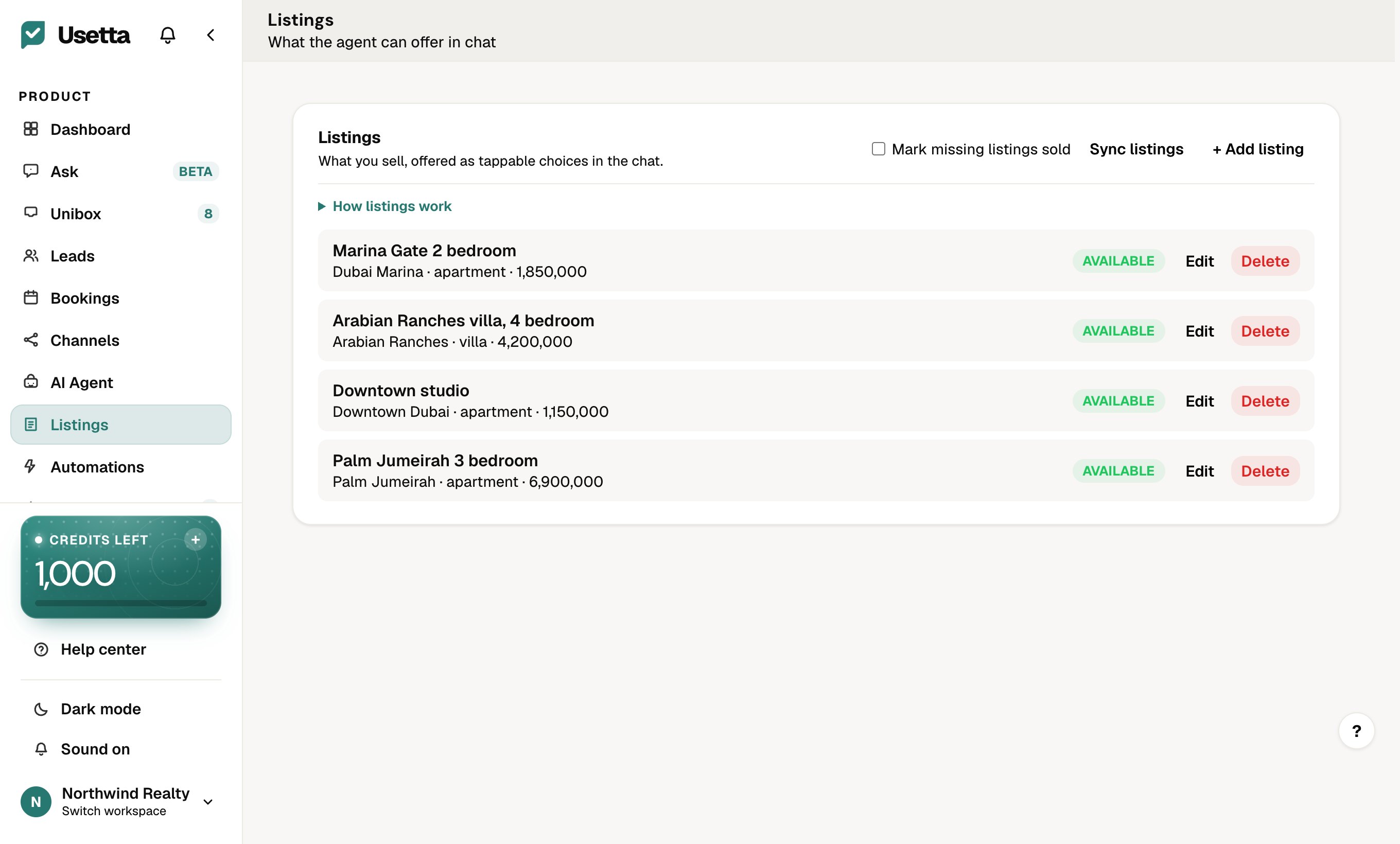
Add an item
-
Open Listings in the left menu.
-
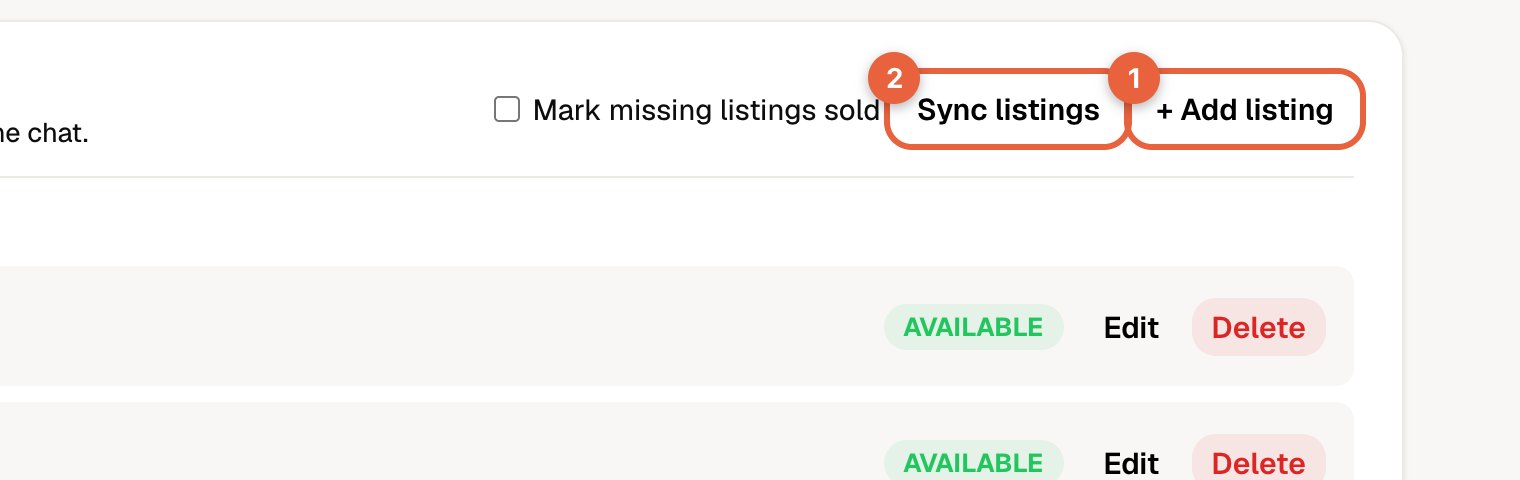
Press + Add listing.
-
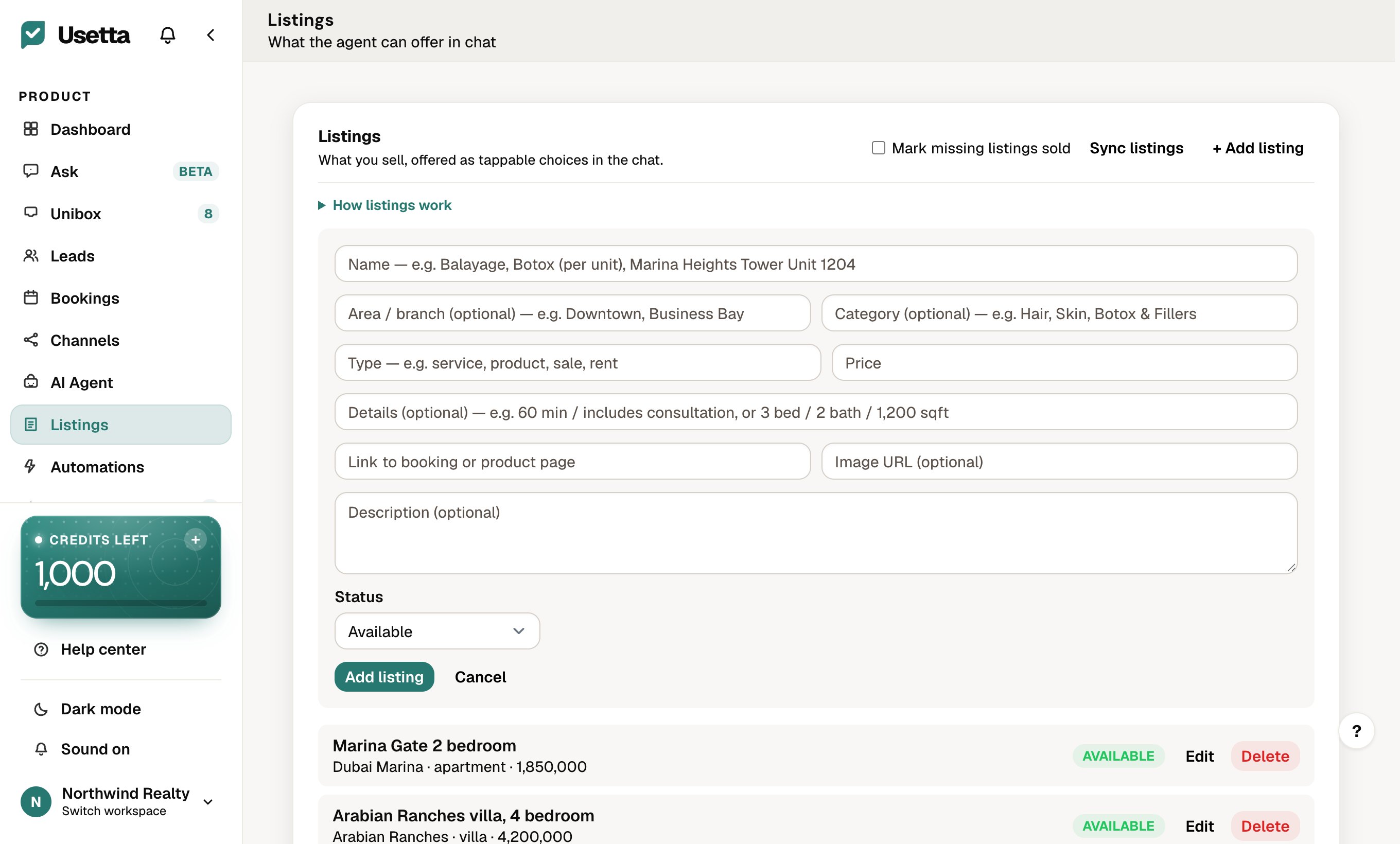
Fill in the form: Name, Area / branch, Category, Type, Price, Details, a link and an image URL if you have them, a description, and the Status.
-
Press Add listing.
To add many at once, press Sync listings and upload a spreadsheet (CSV).
What the AI does with them
- Answers questions such as “do you have a 2-bedroom in Marina under 2 million?” from your real listings.
- Shares photos and details in the chat. On WhatsApp each listing arrives as its own message.
- Asks follow-up questions about budget and preferences.
Keep it accurate
Set the Status to sold or unavailable so the AI stops offering an item. It only shows what is available.
Did this answer your question?
Thanks for telling us. If something is missing, email hello@usetta.com.