 UsettaHelp Center
Cancel your plan or delete your workspace
Cancel the plan
- Open Settings and go to the Billing tab.
- Press Cancel plan, or Manage billing to use the billing portal.
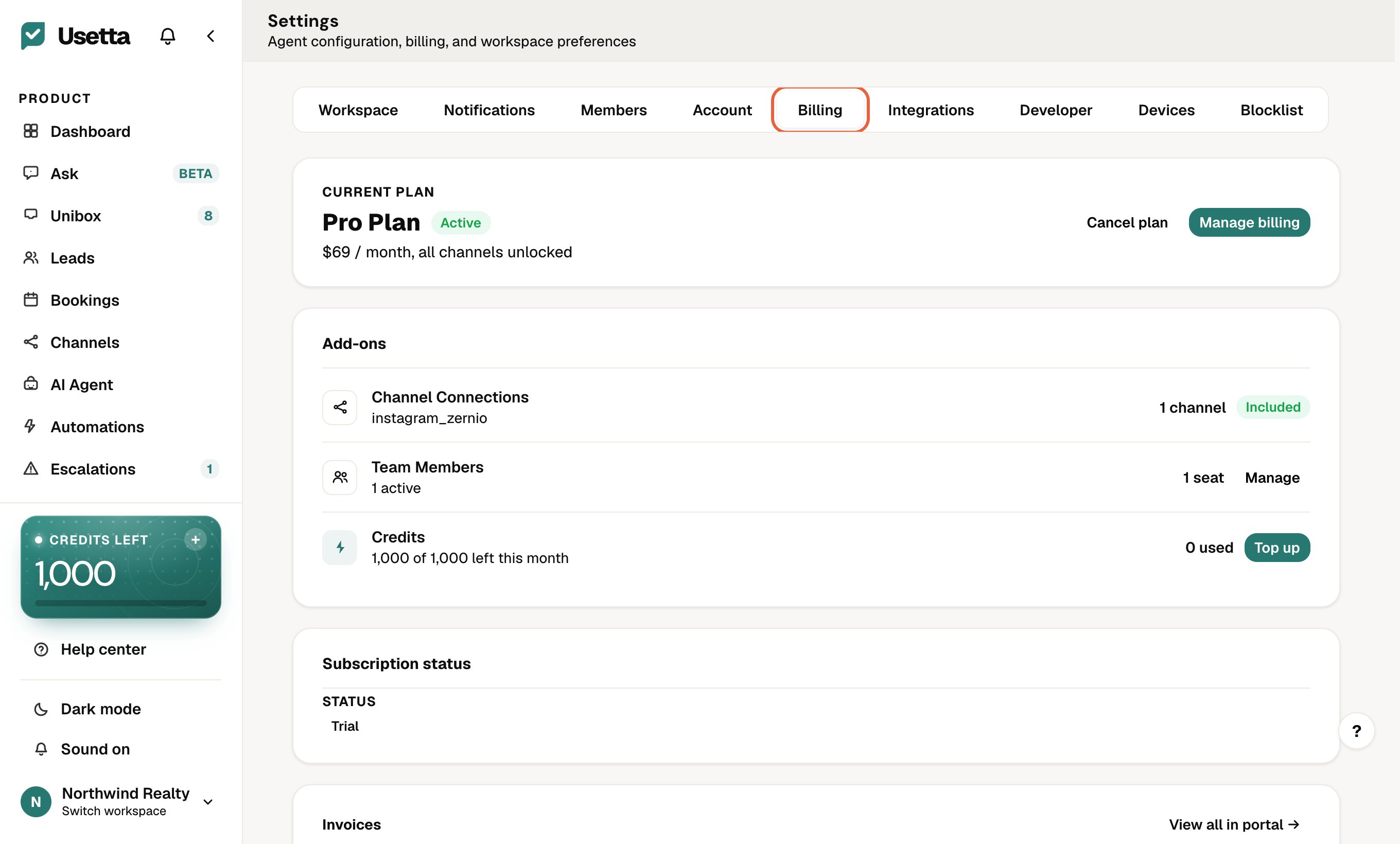
You keep access until the end of the period you paid for.
Delete the workspace
Deleting is separate from cancelling and permanent.
- In Settings, find Delete workspace and confirm with your password.
- The deletion is scheduled. You get an email with the date, and you can cancel the deletion until then.
- After the scheduled date, your workspace and its data are erased.
Want a copy first? Use Export CSV on the Leads page, or email hello@usetta.com for a full copy of your data before you delete.
Did this answer your question?
Thanks for telling us. If something is missing, email hello@usetta.com.