 UsettaHelp Center
See what is working: automation results
On the Automations page, each keyword has one card. The public reply and the private message for the same word sit together.
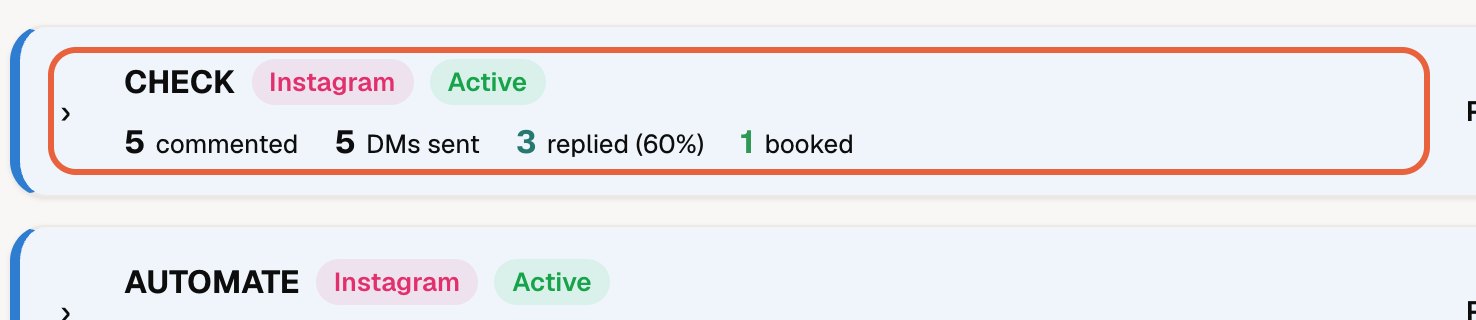
What the card shows
When closed, each card shows four numbers:
- commented: people who used the keyword,
- DMs sent: private messages delivered,
- replied: people who answered your message, with the percentage of those messaged,
- booked: how many of them became bookings.
Open a card
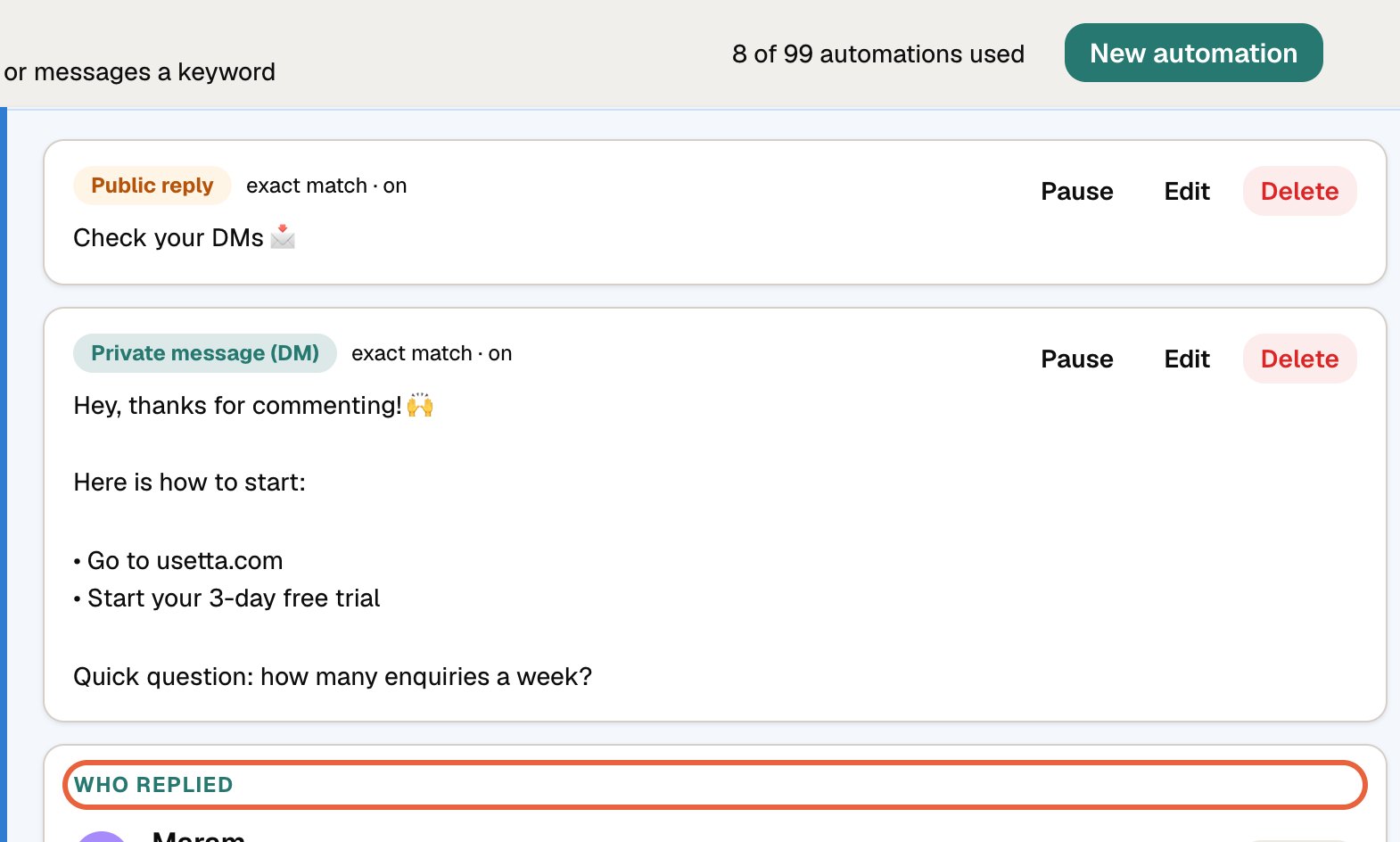
Press a card to open it. You will see the reply and the message, each with Pause, Edit and Delete, and Who replied: names, what they said first, and their stage. Press a person to open their chat.
Finding things
Use the search box to find a keyword, and the All / Active / Paused buttons to filter. Cards with the most recent activity come first. Each keyword has its own colour, so a long list is easy to scan.
The Results tab shows the same numbers with more detail.
Did this answer your question?
Thanks for telling us. If something is missing, email hello@usetta.com.